How do I create an email campaign?
Use Email to prepare a newsletter, customer update or promotional message with your chosen sender and audience.
- Open Email and select Create.
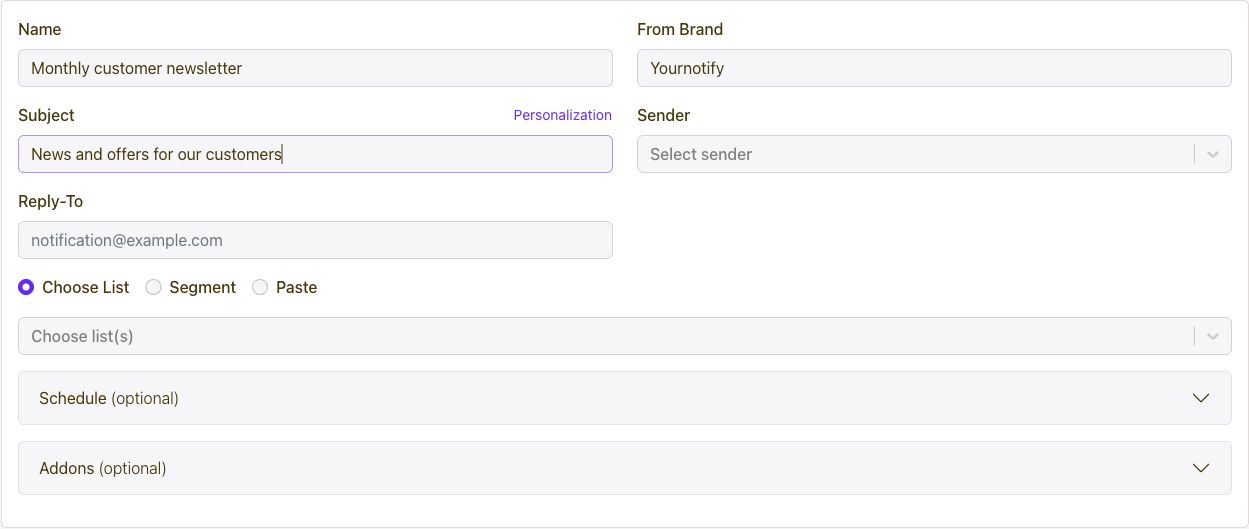
- Enter a campaign name, From Brand and Subject; choose the Sender and Reply-To address.
- Choose a list, select a segment or paste the intended recipients.
- Prepare your email content and review the campaign settings.
- Set a schedule if needed, then save your draft or submit when ready.
Connect every marketing channel to one customer journey.
Capture and segment audiences, then coordinate email, SMS, WhatsApp, voice, Calls, push, in-app messages, conversations, automations, referrals, loyalty, rewards, ads, and developer APIs from one growth platform.
Get Started