Connecting to Yournotify SMPP using Python allows businesses to send and receive SMS efficiently, ensuring reliable and real-time communication. Python’s flexibility makes it easy to integrate SMPP into applications, automate bulk messaging, and manage SMS workflows seamlessly. Here’s how to connect to Yournotify SMPP using Python.
STEP 1: Ensure Python is installed on your system.
STEP 2: Install SMPP Library: To interact with Yournotify’s SMPP server, install the smpplib library using pip.
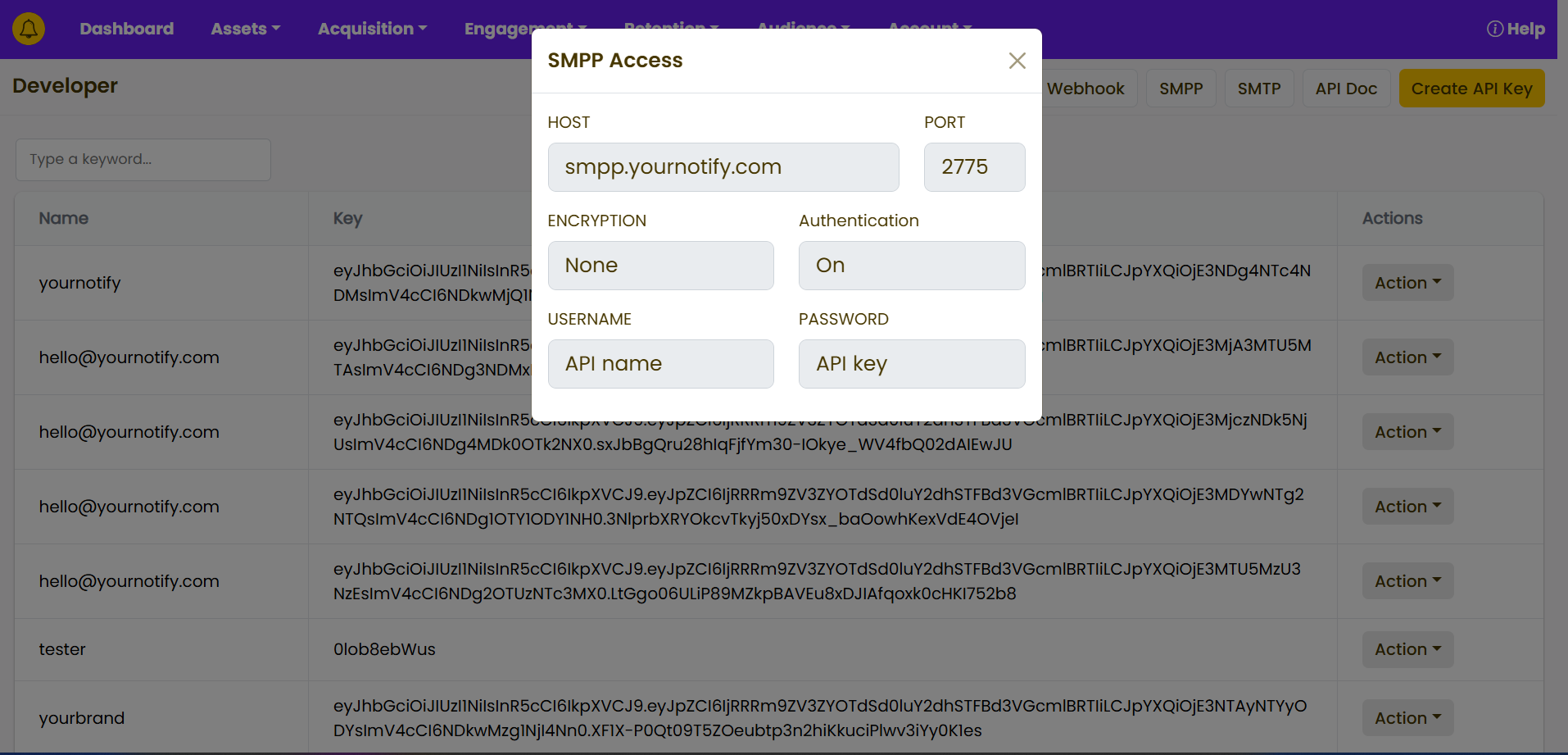
STEP 3: Use the following details to configure your SMPP client in Python:
- Host:
smpp.yournotify.com - Port:
2775 - Encryption:
None - Authentication: Enabled (
On) - Username: Your
API Name(from the Developer section) - Password: Your
API Key(generated via the Developer section)
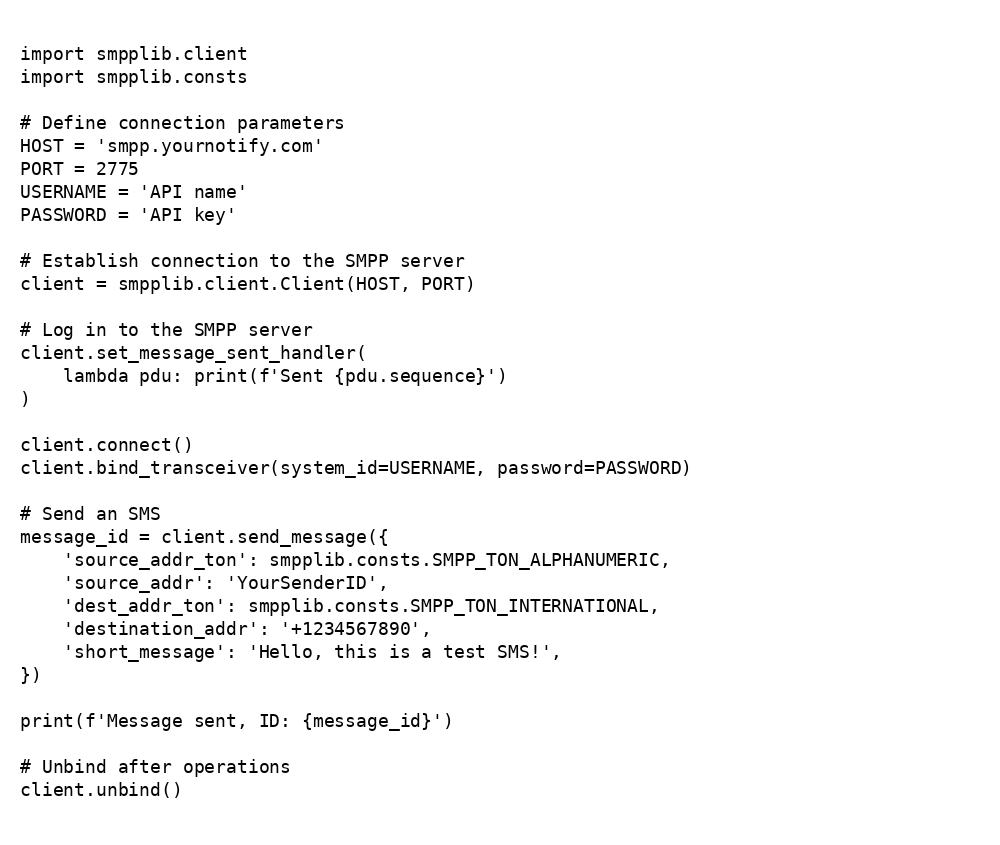
STEP 4: Create a Python script in your project directory and open it in your preferred text editor. Below is a basic script to connect and send an SMS using Yournotify SMPP