How do I send a bulk SMS campaign?
Create a bulk SMS campaign to send a clear, concise message to a saved audience or a selected set of telephone contacts.
- Open SMS and select Create.
- Enter the campaign name and choose an approved Sender ID.
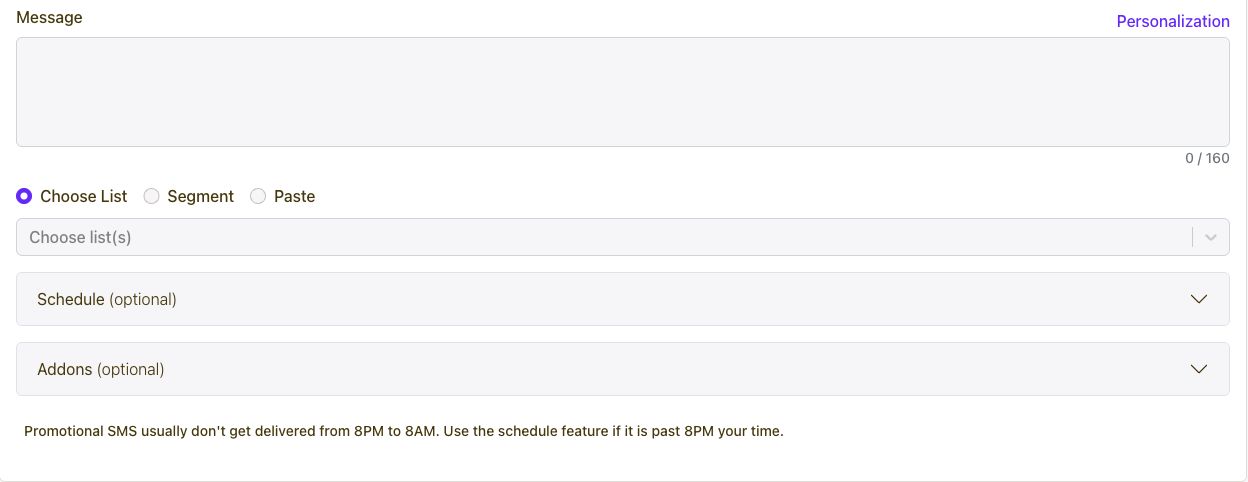
- Write the message and use Personalization if you need contact fields.
- Choose a list or segment, or paste the intended recipients.
- Review the message count and optional schedule, then save or submit.
Connect every marketing channel to one customer journey.
Capture and segment audiences, then coordinate email, SMS, WhatsApp, voice, Calls, push, in-app messages, conversations, automations, referrals, loyalty, rewards, ads, and developer APIs from one growth platform.
Get Started