Voice
A Voice campaign delivers a prepared spoken message to a telephone audience. It is useful for reminders, service announcements and customer updates that people can hear.
Create the message, choose your configured Voice sender and select the audience. Yournotify provides campaign controls and reporting to help you manage the send.
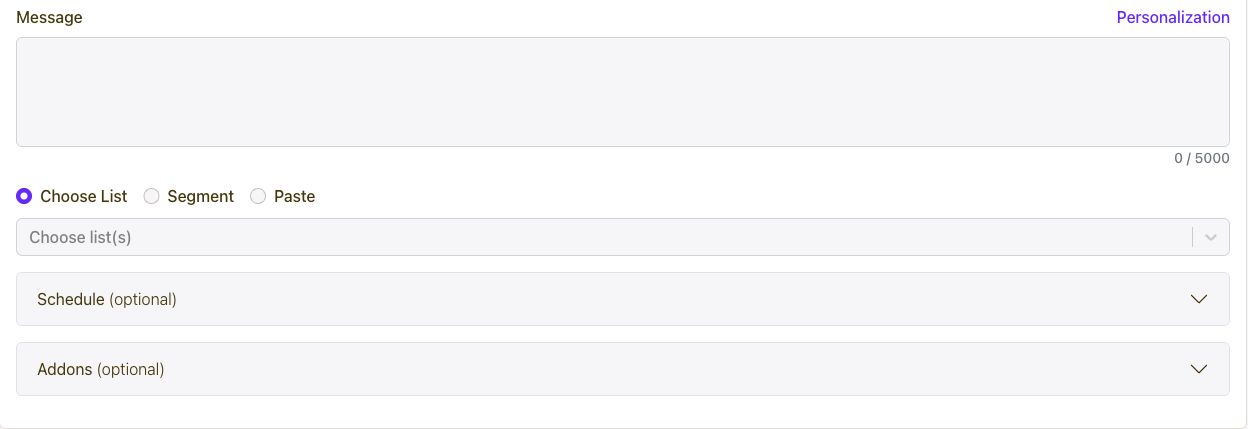
Use the Voice workspace to prepare a spoken message and choose the customers who should receive it.
- Open Voice and select Create.
- Choose the Voice Sender ID and prepare the message.
- Select a list, segment or pasted recipient audience.
- Review personalization and optional scheduling or addons.
- Test the intended experience, then save or submit when ready.
Yournotify Voice supports text-to-speech, audio-based messages and IVR workflows through its Voice capabilities. Choose the format that matches the experience: spoken text for a simple update, audio for a prepared recording, or an IVR flow for a structured response.
Use the Voice API documentation to prepare the appropriate request and review the content before launching.
Voice campaigns send a prepared message to a selected audience. Calls lets a team member speak with a customer in a live phone conversation from the browser.
Use Voice for a planned announcement or reminder; use Calls for a sales follow-up, support conversation or a question that needs a person to respond.
Plan the recipient volume and expected duration, then use the Voice rate shown in your account or current pricing. At ₦20 per minute, 1,000 billable minutes would cost ₦20,000.
After sending, open the campaign analytics to review call outcomes and duration. Use those results to improve the message and plan the next campaign.